
IMTO Payment
Overview
Our IMTO service provides businesses with a comprehensive set of endpoints for managing International Money Transfer Operations. It covers authentication, partner management, wallet operations, FX rates, fees, user management, reporting, and more. Use this service to test, integrate, and automate workflows for IMTO-related business processes.
Key Features
- Get Auth Token
- Get Current FX Rate
- Order Creation
- Authorize Order
- Get Transaction
- Get Wallet Balance
Getting Integration Credentials
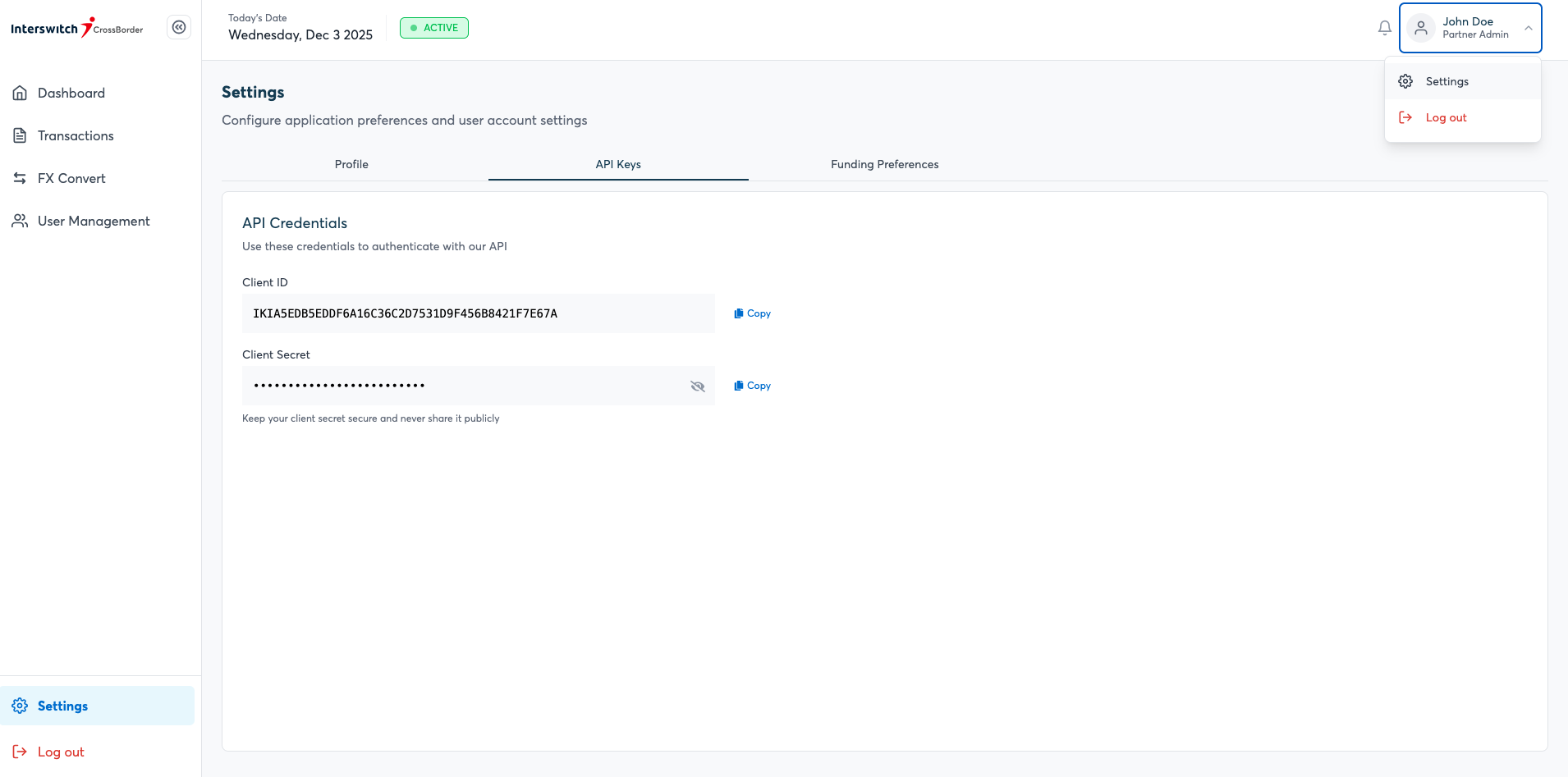
To call our IMTO service, you need to get your Client Id and Client Secret from the business portal.
Register on the portal as shown below.
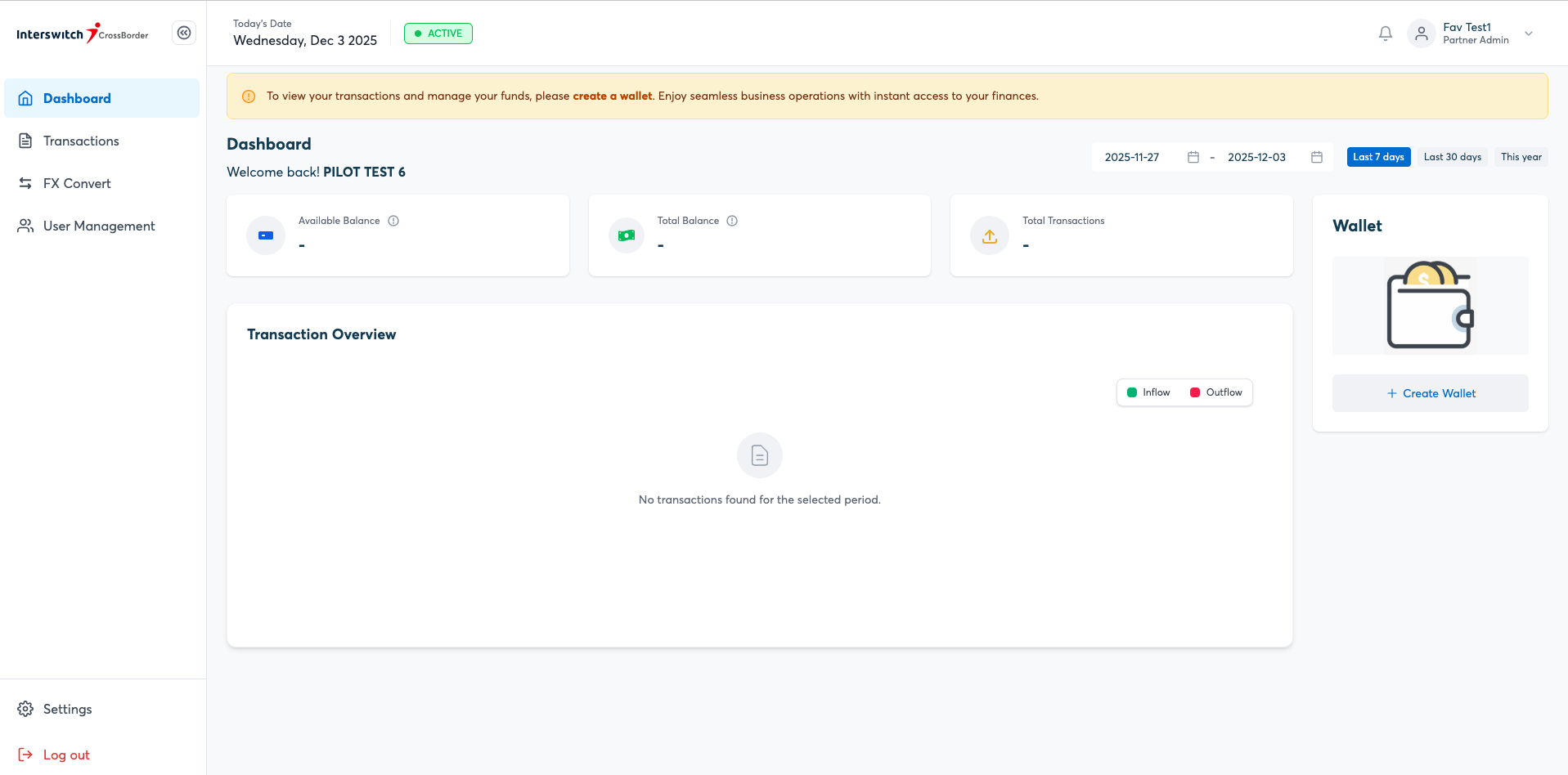
Funding your Wallet
You can create and fund your wallet position on the portal as shown below.
IMTO Status
We currently have 3 main statuses:
| Status | Description |
|---|---|
| PROCESSING | Transactions is currently being processed |
| SUCCESSFUL | Transaction is successful, value has been given |
| FAILED | Transaction has failed. Funds have been reversed if they were originally debited. |
IMTO Channels
The following IMTO channels for payment are available:
BANK_TRANSFER: Standard bank transfer
Get Auth Token
This endpoint handles authentication and token retrieval for secure access to IMTO services. Use these endpoints to obtain OAuth tokens required for subsequent API requests.
Endpoint: POST https://passport-v2.k8.isw.la/passport/oauth/token?scope=profile&grant_type=client_credentials
Request Headers
To authorize this request, you must include an Authorization header using the Basic Auth scheme. This requires your client_id and client_secret combined with a colon (client_id:client_secret) and then encoded to Base64.
| Key | Value | Description |
|---|---|---|
| Authorization | Basic <Base64 encoded client_id:client_secret> | Replace the placeholder with your actual Base64 string. |
| Content-Type | application/x-www-form-urlencoded | Standard content type for OAuth token requests. |
Request Body
None required. (The necessary grant type and scope are already included in the URL query parameters).
How to generate the Base64 string:
If your Client ID is my_client and your Client Secret is my_secret, you format it as my_client:my_secret. Encoding that string into Base64 results in bXlfY2xpZW50Om15X3NlY3JldA==. Your final header would look like this:
Authorization: Basic bXlfY2xpZW50Om15X3NlY3JldA==
Sample Response
{
    "access_token": "eyJhbGciOiJSUzI1NiIsInR5cCI6IkpXVCJ9...",
    "token_type": "bearer",
    "expires_in": 39999,
    "scope": "profile",
    "merchant-wallet-actions": [
        "transact",
        "reverse",
        "authenticate-pin"
    ],
    "business_code": "ISWIMTO20250618105314121",
    "client_name": "ISWIMTO20250618105314121",
    "jti": "b49fa89b-a02d-4089-9ac4-034cbebbb0de"
}
Response Fields
| Field | Description |
|---|---|
access_token | The OAuth bearer token used to authenticate subsequent API requests |
token_type | Type of token issued (always bearer) |
expires_in | Token validity duration, in seconds |
scope | Granted scope for the token |
merchant-wallet-actions | List of wallet actions permitted for this client (e.g. transact, reverse, authenticate-pin) |
business_code | Unique code identifying the registered business |
client_name | Name associated with the client credentials |
jti | Unique identifier for this specific token (JWT ID) |
Get Current FX Rate
This endpoint returns the current FX rate that will be used for conversion at the time of transaction.
Endpoint: GET /api/v1/fx/current-rate?senderCurrencyCode=USD&destinationCurrencyCode=NGN&amount=1
Response
{
    "responseCode": "00",
    "responseMessage": "Successful",
    "data": {
        "fxRate": 1390.00,
        "expiryTime": "2026-12-12T17:01:45.275",
        "beneficiaryValue": 1390.00,
        "fxSpread": 0,
        "fxReference": "2d897145-0f6a-454e-a869-45e1d1f5acc8"
    }
}
Response Fields
| Field | Description |
|---|---|
responseCode | Status code of the response (00 = success) |
responseMessage | Human-readable status message |
fxRate | Current exchange rate applied for the conversion |
expiryTime | Timestamp when this quoted rate expires |
beneficiaryValue | Value the beneficiary will receive based on this rate |
fxSpread | Spread applied on top of the base FX rate |
fxReference | Unique reference for this FX rate quote |
Order Creation
This endpoint generates a payment order using the current FX rate and includes an expiration window, allowing the business to review the rate and authorise the payment if they're comfortable with it.
Endpoint: POST /api/v1/order
Request
{
    "senderCurrencyCode":"USD",
    "destinationCurrencyCode":"NGN",
    "senderAmount":"2"
}
Request Body Fields
| Field | Description |
|---|---|
senderCurrencyCode | Currency code of the sending party (e.g. USD) |
destinationCurrencyCode | Currency code of the receiving party (e.g. NGN) |
senderAmount | Amount being sent, in sender's currency |
Response
{
    "responseCode": "00",
    "responseMessage": "Successful",
    "data": {
        "createdOn": "2025-12-03 08:32:14",
        "createdBy": "[email protected]",
        "id": 20246,
        "senderAmountBeforeCharge": 2.00,
        "senderAmountAfterCharge": 2.00,
        "orderId": "55b73cce-14e2-4f8e-b3d7-22e830d56695",
        "charge": 0.00,
        "orderValidityPeriodInSeconds": 3600,
        "senderCurrency": "USD",
        "beneficiaryCurrency": "NGN",
        "fxRate": 1488.00,
        "businessId": 40135,
        "status": "NEW",
        "beneficiaryAmount": 2976.00,
        "fxReference": "0d23065a-4d1e-4e66-b48f-6ae6e785762c"
    }
}
Response Fields
| Field | Description |
|---|---|
responseCode | Status code of the response |
responseMessage | Human-readable status message |
createdOn | Timestamp the order was created |
createdBy | Email/identifier of the user who created the order |
id | Internal numeric ID of the order |
senderAmountBeforeCharge | Amount before any charges applied |
senderAmountAfterCharge | Amount after charges applied |
orderId | Unique order identifier (used to authorize the order) |
charge | Fee charged for creating this order |
orderValidityPeriodInSeconds | How long the order/rate remains valid before expiring |
senderCurrency | Currency of the sender |
beneficiaryCurrency | Currency of the beneficiary |
fxRate | Locked-in exchange rate for this order |
businessId | ID of the business that created the order |
status | Current status of the order (e.g. NEW) |
beneficiaryAmount | Amount the beneficiary will receive |
fxReference | Reference tying this order to its FX rate quote |
Authorize Order
This allows the partner to authorise the order using the order ID generated by the create-order endpoint.
Endpoint: POST /api/v1/order/authorize
Request
{
    "orderId": "55b73cce-14e2-4f8e-b3d7-22e830d56695",
    "senderWalletId": "3570003235",
    "senderWalletPin": "1111",
    "recipientBank": "HAK",
    "recipientAccount": "0037320662",
    "partnerReference": "TESTREFERENCE107",
    "payoutChannel": "BANK_TRANSFER",
    "narration": "TestRef101"
}
Request Body Fields
| Field | Description |
|---|---|
orderId | The order ID generated by the Order Creation endpoint |
senderWalletId | Wallet ID the funds will be debited from |
senderWalletPin | PIN authorizing the wallet debit |
recipientBank | Bank code of the recipient's bank |
recipientAccount | Recipient's bank account number |
partnerReference | Partner-supplied reference for tracking |
payoutChannel | Channel used to disburse funds (must be one of the listed IMTO Channels) |
narration | Description/narration for the transaction |
Note: payoutChannel should be one of the available IMTO Channels listed above.
Response
{
    "responseCode": "00",
    "responseMessage": "SUCCESS",
    "data": {
        "id": 72822,
        "reference": "b09e0e59-3451-4d18-896f-f7d479629be3",
        "transactionReference": "IMTO20251203083240441000955",
        "clientId": "MX192446",
        "recipientAccount": "0037320662",
        "recipientBank": "HAK",
        "recipientName": "ROTIMI MODUPE AKINRIMISI",
        "sourceAccount": "3570003369",
        "provider": "TS",
        "channel": "BANK_TRANSFER",
        "amount": 2976.00,
        "fee": 13.20,
        "commission": 0.00,
        "currencyCode": "NGN",
        "retryCount": 0,
        "status": "SUCCESSFUL",
        "narration": "TestRef101",
        "reversed": false,
        "walletDebit": true,
        "createdOn": "2025-12-03T08:32:43.77",
        "lastUpdatedOn": "2025-12-03T08:32:53.429307",
        "processingReference": "CR|AFZ|HAK|031225083241|049691"
    }
}
Response Fields
| Field | Description |
|---|---|
responseCode | Status code of the response |
responseMessage | Human-readable status message |
id | Internal numeric ID of the transaction |
reference | Internal transaction reference |
transactionReference | Unique transaction reference number |
clientId | ID of the client that initiated the transaction |
recipientAccount | Recipient's account number |
recipientBank | Recipient's bank code |
recipientName | Name of the recipient on the account |
sourceAccount | Account the funds were debited from |
provider | Processing provider used |
channel | Payout channel used |
amount | Amount disbursed |
fee | Fee charged for the transaction |
commission | Commission applied, if any |
currencyCode | Currency of the transaction |
retryCount | Number of retry attempts |
status | Final status of the transaction |
narration | Narration/description provided |
reversed | Whether the transaction was reversed |
walletDebit | Whether the sender's wallet was debited |
createdOn | Timestamp transaction was created |
lastUpdatedOn | Timestamp of last update |
processingReference | Reference from the downstream processor |
Get Transaction
Retrieves an IMTO transaction using orderId.
Endpoint: GET /api/v1/order/transaction/{orderId}
Response
{
    "responseCode": "00",
    "responseMessage": "Successful",
    "data": [
        {
            "createdOn": "2025-12-03 08:32:53",
            "updatedOn": "2025-12-03 08:32:53",
            "lastUpdatedBy": "[email protected]",
            "id": 15137,
            "transactionReference": "IMTO20251203083240441000955",
            "clientId": "MX192446",
            "channel": "BANK_TRANSFER",
            "amount": 2976.00,
            "fee": 13.20,
            "responseCode": "00",
            "responseDescription": "SUCCESS",
            "status": "SUCCESSFUL",
            "narration": "TestRef101",
            "processingReference": "CR|AFZ|HAK|031225083241|049691",
            "walletDebitReference": "357000323580AJDFR0FFZL7WF",
            "orderId": 20246,
            "action": "DEBIT",
            "commission": 0.00
        }
    ]
}
Response Fields
| Field | Description |
|---|---|
createdOn | Timestamp transaction was created |
updatedOn | Timestamp of last update |
lastUpdatedBy | User/system that last updated the record |
id | Internal numeric ID |
transactionReference | Unique transaction reference |
clientId | ID of the client |
channel | Payout channel used |
amount | Transaction amount |
fee | Fee charged |
responseCode | Status code |
responseDescription | Status description |
status | Current transaction status |
narration | Narration/description |
processingReference | Downstream processor reference |
walletDebitReference | Reference for the wallet debit |
orderId | Associated order ID |
action | Type of action performed (e.g. DEBIT) |
commission | Commission applied |
Get Wallet Balance
Retrieve the balance on a wallet.
curl --location '/api/v1/wallet/balance?partnerWalletId={insert wallet id here}' \
--header 'Content-Type: application/json' \
--header 'Authorization: Bearer xx'
The response contains the relevant balance(s) tied to the wallet, please note that balance returned in minor currency.
{
    "responseCode": "00",
    "responseMessage": "Balance retrieved successfully!",
    "data": {
        "ledgerBalance": 25600,
        "availableBalance": 25600
    }
}
Response Fields
| Field | Description |
|---|---|
responseCode | Status code of the response |
responseMessage | Human-readable status message |
ledgerBalance | Total ledger balance, in minor currency unit |
availableBalance | Available (spendable) balance, in minor currency unit |
Updated 4 months ago